July 08 2026, Wednesday
Mechanical Keyboards, and the end game
Working as a Software Engineer, you realize sooner or later that you need a proper keyboard. Repetitive Strain Injury (RSI) becomes a real problem, and your goal should be to avoid it entirely by using an ergonomic keyboard. In this post, I'll walk you through my journey to discovering my mechanical keyboard end game.
Microsoft Natural Keyboard
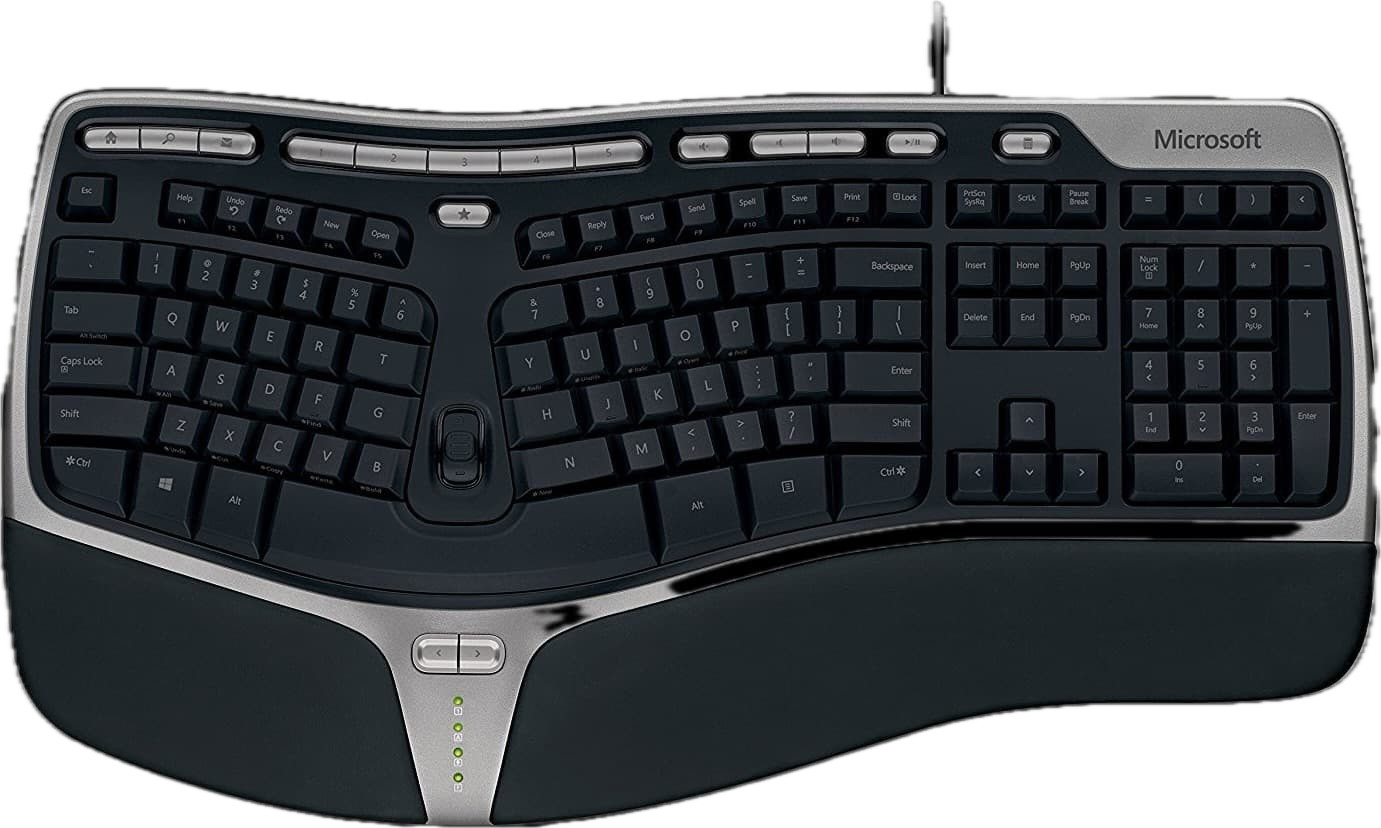
Early on in my career, I was a huge fan of the Microsoft Natural Keyboard which is the first split keyboard that I ever used. While it was a great keyboard, it wasn't mechanical. I had to constantly buy new ones just to replace a single broken or misbehaving key—despite my attempts to keep the keyboard relatively clean. These days, the Kinesis mWave PC Mechanical keyboard is an excellent alternative with hot-swappable keys.
Early Mechanical Keyboards
I discovered Massdrop (now Drop, acquired by Corsair) and its thriving Mechanical keyboard community. I built my own version of the Massdrop Ctrl keyboard with Zilent V2 switches, and Ducky Pudding keycaps (I really wanted those RGB LEDs to shine through).
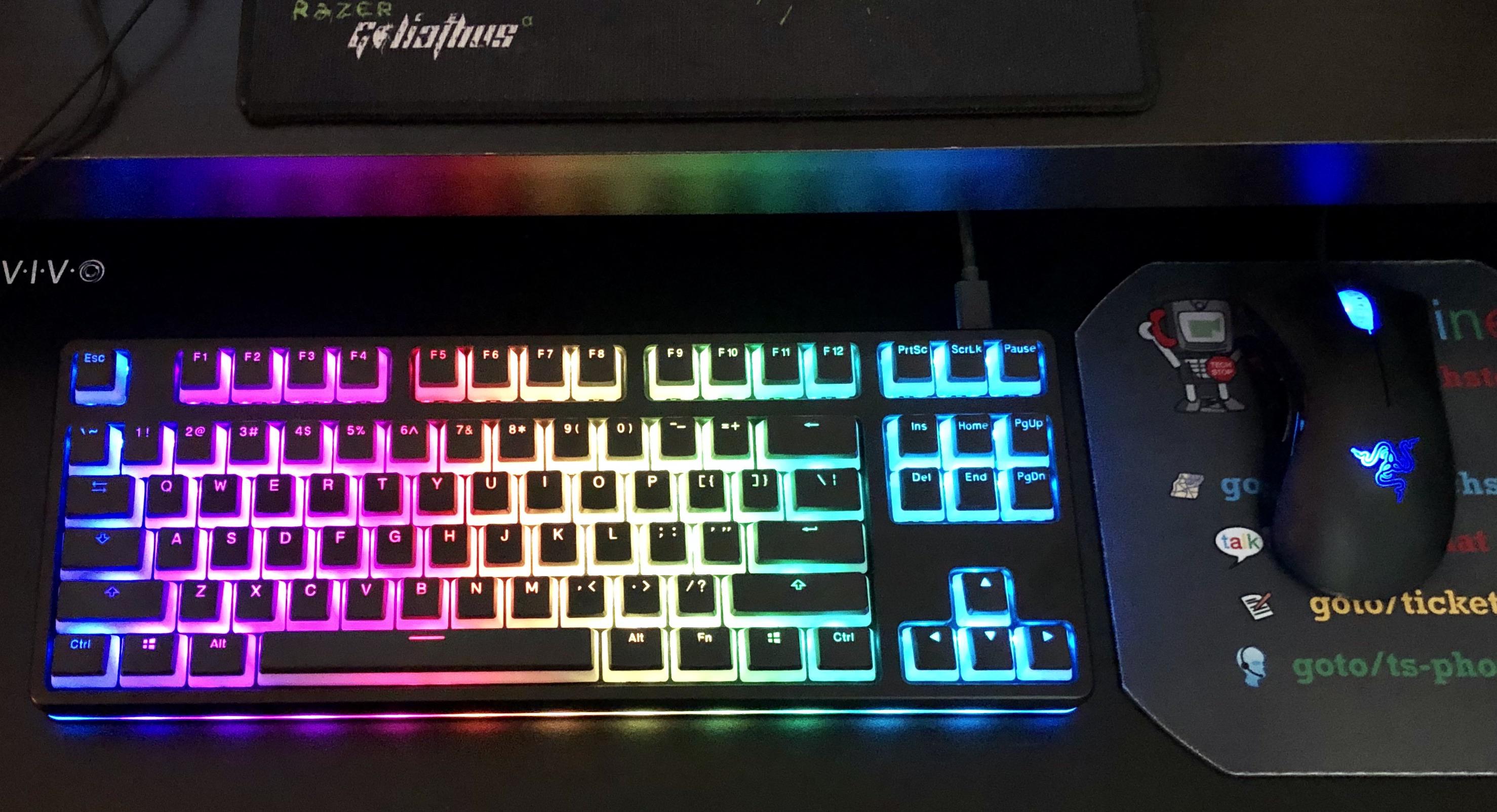
I forked the QMK-based firmware to set up custom animations for the light bar. I liked the keyboard a lot, but I realized that I still preferred a split. I had also tried using the Kinesis Advantage 2 which had a really steep learning curve, given the thumb cluster.
At this point, I was typing 35-45 WPM, and did not want to regress and become even slower by switching to a radically different keyboard layout. This was around the time when keyboard.io released the Model 01. I was tempted to back the Kickstarter for this keyboard, but I decided against it given its radically different layout (and the steep learning curve).
Keyboard end-game
After a few years of using the Ctrl keyboard, I realized that it was time to look for a good split option again.
However, this time I was open to starting over, if that's what it took. Because I wasn't truly touch typing anyway, and I wanted to use this transition to actually learn how to type properly.
I looked at the usual suspects.
- The ZSA Moonlander
- The Ergodox EZ
- Keyboard.io Model 100 (The successor to the previously released Model 01)
- The Glove 80, and the Go 60
- Other DIY split options (which I can't fully remember)
I picked the Model 100.
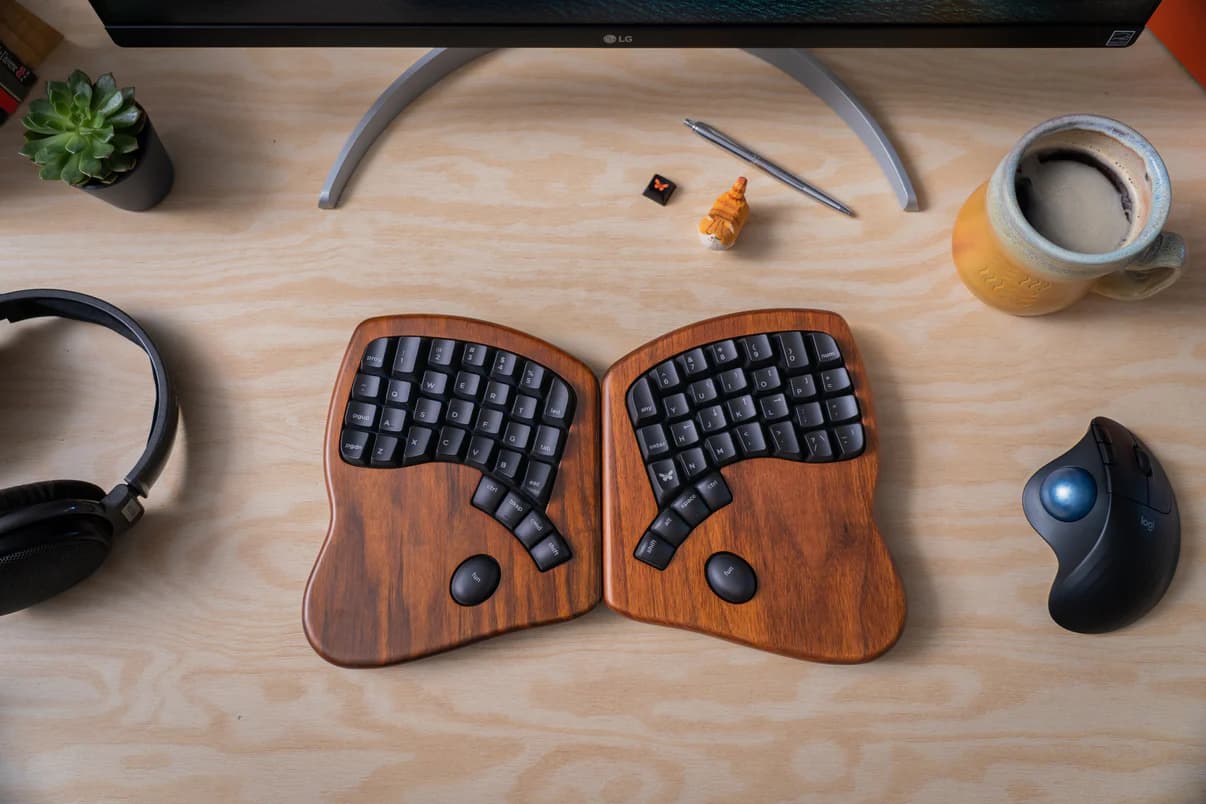
The Model 100
The Model 100 is one of the nicest keyboards I have ever used. It's incredibly well made, and ticks all the other boxes I care about. I knew going in that this one would be hard to get used to, so for a while, I plugged in both keyboards simultaneously and slowly tried to use the Model 100 for longer durations of time.
I also took the opportunity to learn how to properly touch type using keybr.com and Monkeytype and would try and practice for ~10-20 mins a day.
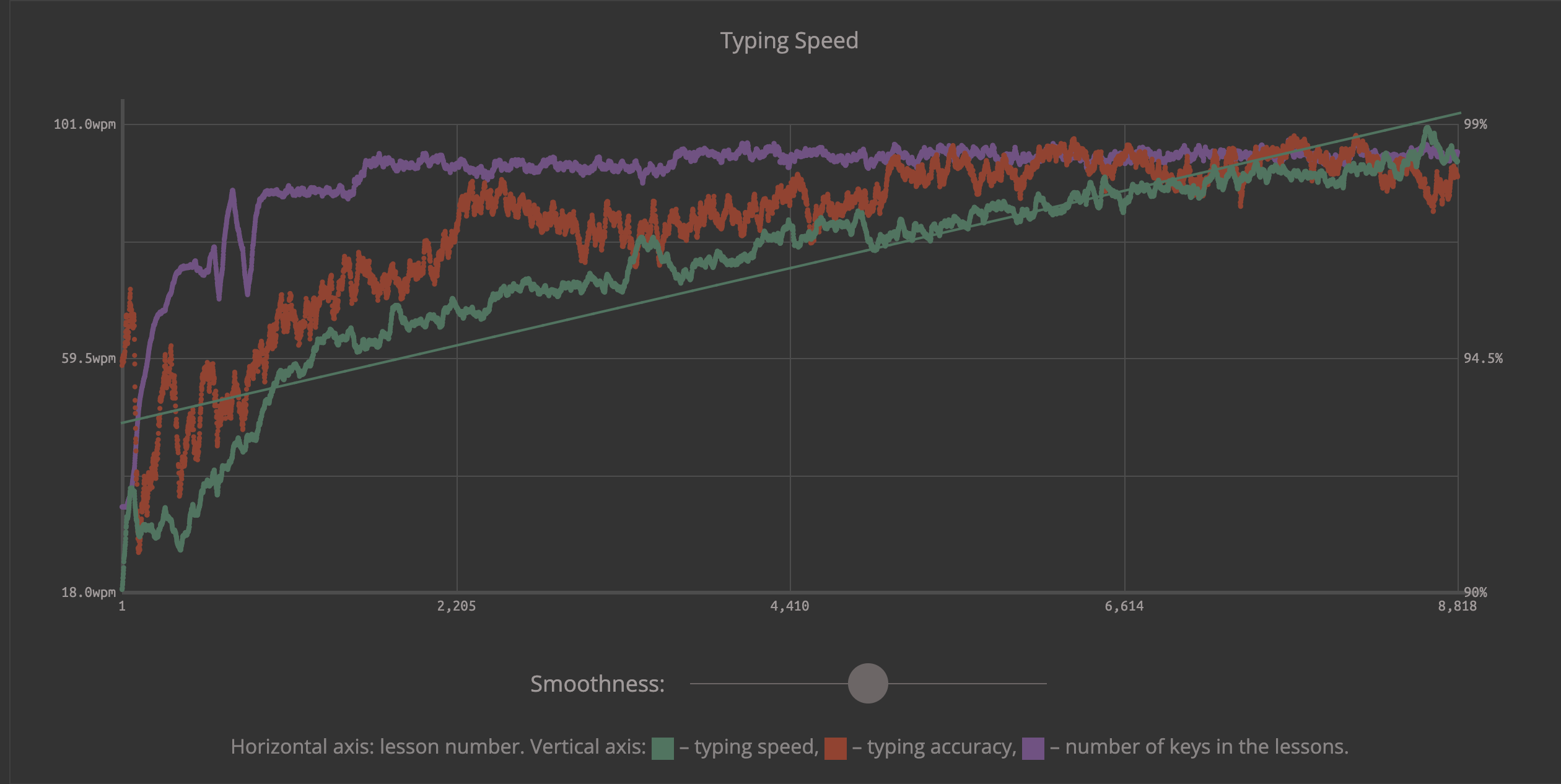
It was a slog, but I eventually went from typing 18 WPM to ~ 100 WPM.
Typing speeds and accuracy over time
Practice calendar (frequency of practice for atleast 10 mins / day)
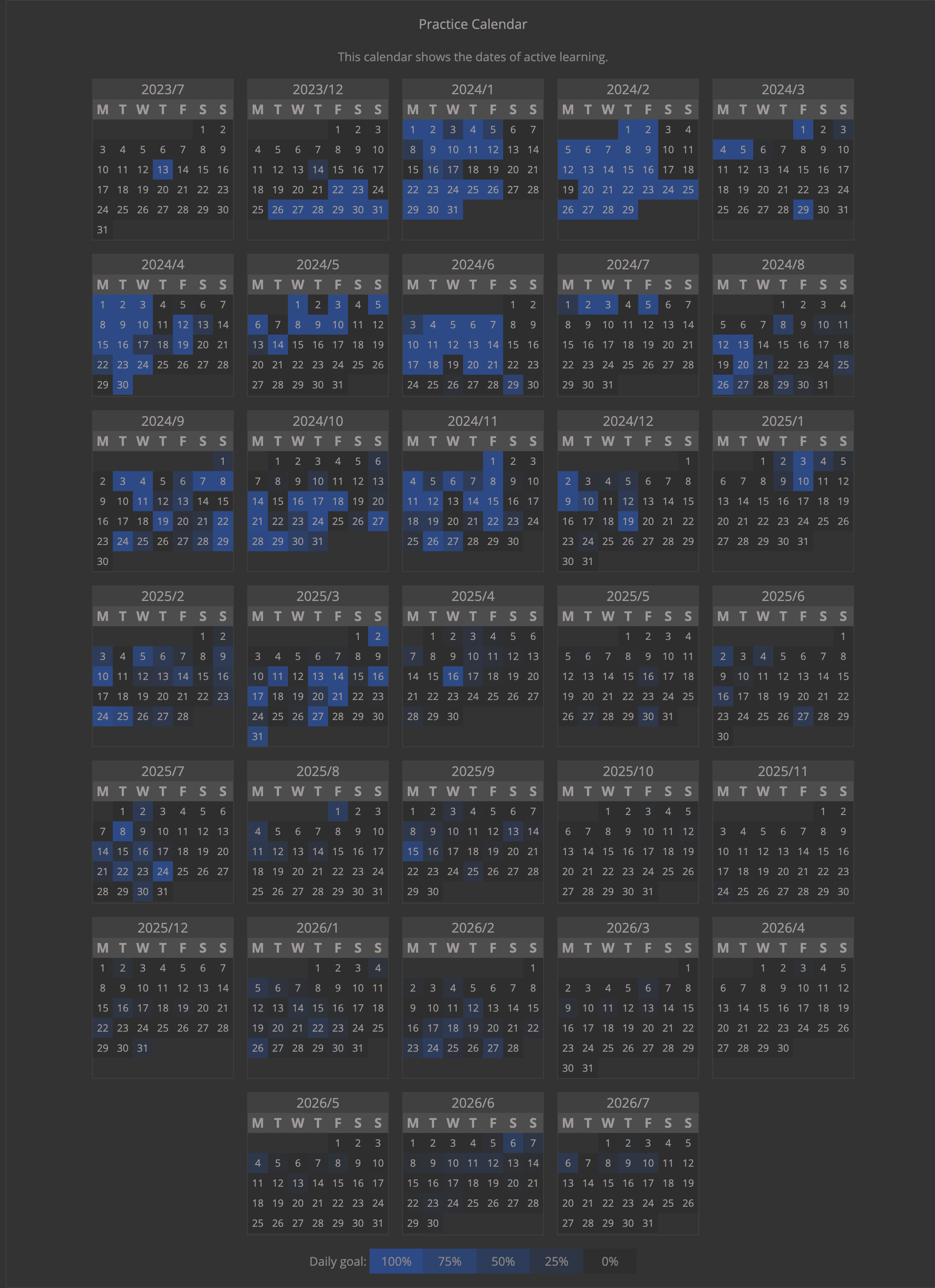
My all time practice statistics as of the day writing this blog post:
Total practice time spent: 51 hours, 8 minutes and 07 seconds
Epilogue
Interestingly enough, my ability to use a normal keyboard (with a standard layout like that of a laptop) did not regress. I am not nearly as fast typing on a standard layout, but I am no worse than I was previously.